Canvas Undo/Redo는 버튼 두 개로 끝나지 않았다 글 표지
ReactZustand상태관리Undo/RedoCanvasKonva

Canvas Undo/Redo는 버튼 두 개로 끝나지 않았다

React Konva 드로잉 도구에서 구현한 Zustand 기반 Undo/Redo를 돌아보고, 상태와 저장 구조를 다시 설계해 본 기록입니다.

React Konva로 만든 드로잉 도구에서는 Zustand의 historyredoStack에 도형 상태를 쌓아 Undo/Redo를 구현했습니다. 기능은 동작했지만 코드를 다시 살펴보니 편집 중 상태와 저장할 문서, 되돌릴 기록이 한 store에 섞여 있었습니다.
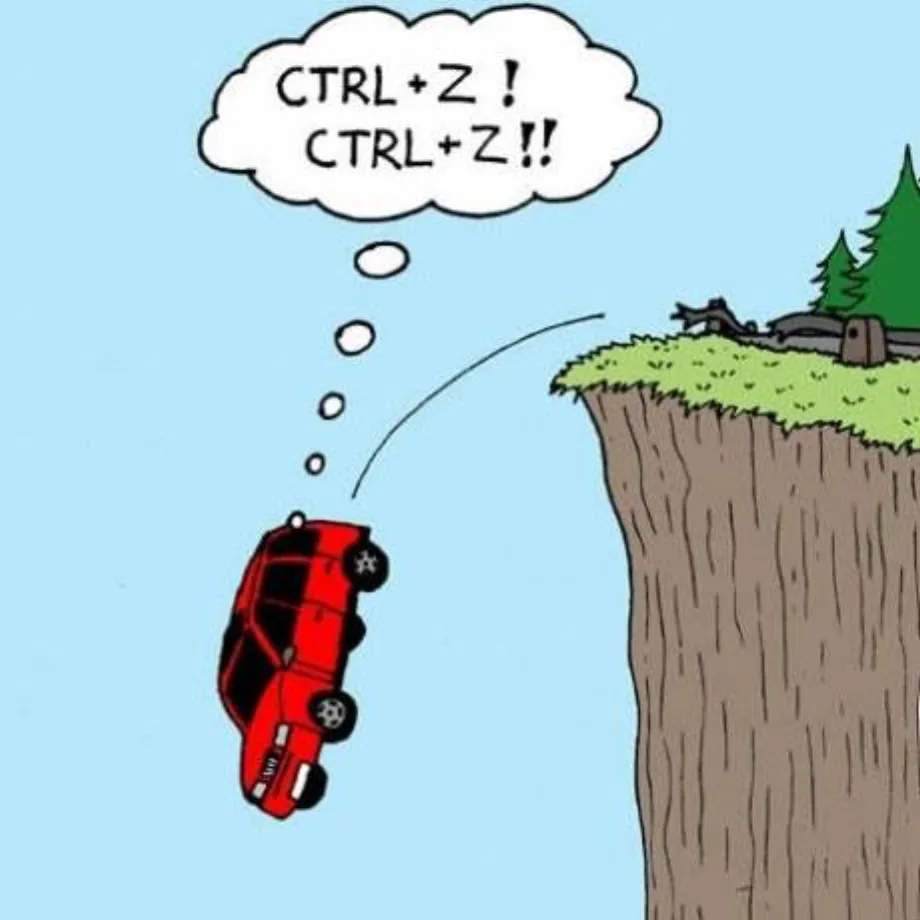
절벽에서 떨어지며 Ctrl+Z를 외치는 자동차 만화

당시 구현을 돌아보며 상태와 저장 구조를 다시 설계해 봤습니다. 아래의 discriminated union, reducer, migration, 회귀 테스트는 아직 반영하지 않은 개선안입니다. 다시 설계할 때의 기준은 다음과 같습니다.

상태의 중심은 Canvas node가 아니라 사용자가 편집하는 문서로 잡았습니다.
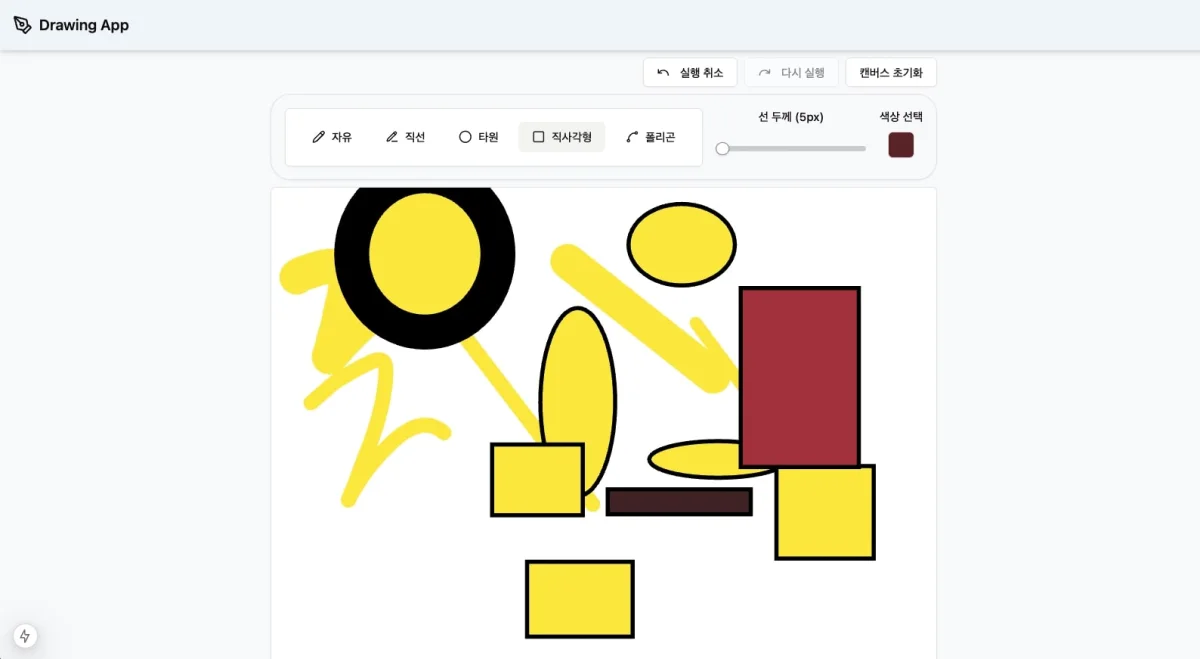
자유선과 도형을 그린 Drawing App 화면

Konva도 React 환경에서는 node tree보다 canvas를 만드는 애플리케이션 데이터를 저장하라고 권합니다. 개선안에서 Undo/Redo, 저장, renderer가 같은 문서 모델을 바라보게 한 이유입니다.

문서와 편집 상태를 나누는 개선안

네 종류의 상태

드로잉 화면의 모든 값이 history나 저장 대상은 아닙니다.

상태예시Undo 대상영속화
문서도형, 좌표, 색상, 두께, z-order
편집 기록past, present, future해당 없음기본적으로 아니요
작업 UI선택한 도구, 색상, 확대율제품 정책에 따름필요한 preference만
일시 상태drag 중 좌표, hover, marquee, hydration 여부아니요아니요

선택된 도형 ID나 drag preview까지 snapshot에 넣으면 Undo 한 번이 문서 편집이 아니라 UI 포커스를 되돌립니다. 반대로 도형 순서처럼 화면 결과를 결정하는 값은 문서에 있어야 합니다. React Konva는 React가 넘긴 node 순서를 따르므로, z-order는 shapes 배열 순서를 바꾸는 command로 표현합니다.

도형 모델을 discriminated union으로 표현하기

초기 렌더링 코드는 React.ElementType mapping에 넓은 Shape를 넘겼습니다. 짧지만 rectangle renderer가 line을 받는 실수도 type system이 잡기 어렵습니다. 도형마다 필요한 속성을 union으로 분리하면 생성, reducer, 저장 데이터와 renderer가 한 계약을 공유합니다.

type ShapeId = string;
type Point = Readonly<{ x: number; y: number }>;
 
type ShapeBase = Readonly<{
  id: ShapeId;
  color: string;
  thickness: number;
}>;
 
type LineShape = ShapeBase &
  Readonly<{
    kind: 'line';
    points: readonly number[];
  }>;
 
type FreeDrawShape = ShapeBase &
  Readonly<{
    kind: 'free-draw';
    points: readonly number[];
  }>;
 
type EllipseShape = ShapeBase &
  Readonly<{
    kind: 'ellipse';
    center: Point;
    radiusX: number;
    radiusY: number;
  }>;
 
type RectShape = ShapeBase &
  Readonly<{
    kind: 'rect';
    position: Point;
    width: number;
    height: number;
  }>;
 
type PolygonShape = ShapeBase &
  Readonly<{
    kind: 'polygon';
    points: readonly Point[];
    closed: boolean;
  }>;
 
type Shape =
  LineShape | FreeDrawShape | EllipseShape | RectShape | PolygonShape;
 
type DrawingDocument = Readonly<{
  schemaVersion: number;
  shapes: readonly Shape[];
}>;

kind를 기준으로 좁히면 넓은 우회 타입이나 type assertion 없이 각 도형의 필드에 접근합니다. 새 도형을 추가하고 renderer나 reducer를 빼먹었을 때도 exhaustiveness check가 compile 오류를 냅니다.

생성 로직 역시 UI 컴포넌트마다 복사하지 않고 domain 함수 한곳에 둡니다. 입력 중인 raw pointer 값은 별도 draft type으로 받고, gesture가 끝날 때 완성된 Shape로 변환합니다. 잘못된 좌표 배열을 currentShape[3]처럼 읽는 코드는 이 경계 밖으로 나오지 않습니다.

같은 union을 따르는 renderer registry

도형과 React component의 mapping은 유지할 가치가 있었습니다. 개선안에서는 도형별 함수 signature를 보존합니다.

type ShapeRendererMap = {
  line: (shape: LineShape) => React.ReactNode;
  'free-draw': (shape: FreeDrawShape) => React.ReactNode;
  ellipse: (shape: EllipseShape) => React.ReactNode;
  rect: (shape: RectShape) => React.ReactNode;
  polygon: (shape: PolygonShape) => React.ReactNode;
};
 
const shapeRenderers = {
  line: (shape) => <DrawLine shape={shape} />,
  'free-draw': (shape) => <DrawLine shape={shape} />,
  ellipse: (shape) => <DrawEllipse shape={shape} />,
  rect: (shape) => <DrawRect shape={shape} />,
  polygon: (shape) => <DrawPolygon shape={shape} />
} satisfies ShapeRendererMap;
 
const assertNever = (value: never): never => {
  throw new Error(`지원하지 않는 도형: ${JSON.stringify(value)}`);
};
 
const ShapeRenderer = ({ shape }: { shape: Shape }) => {
  switch (shape.kind) {
    case 'line':
      return shapeRenderers.line(shape);
    case 'free-draw':
      return shapeRenderers['free-draw'](shape);
    case 'ellipse':
      return shapeRenderers.ellipse(shape);
    case 'rect':
      return shapeRenderers.rect(shape);
    case 'polygon':
      return shapeRenderers.polygon(shape);
    default:
      return assertNever(shape);
  }
};

개선안에서는 switch가 조금 길어져도 타입 안전성을 유지합니다. registry는 도형과 renderer의 대응을 한눈에 보여 주고, switch는 union narrowing과 누락 검사를 맡습니다.

문서 snapshot으로 편집 기록 구성하기

당시 구현은 도형 plain object의 전체 snapshot을 historyredoStack에 저장했습니다. 개선안도 이 방식을 유지하면서 현재 문서와 이전·이후 기록을 past, present, future로 나눕니다.

type History<T> = Readonly<{
  past: readonly T[];
  present: T;
  future: readonly T[];
}>;
 
type DrawingCommand =
  | Readonly<{ type: 'shape/add'; shape: Shape }>
  | Readonly<{ type: 'shape/remove'; id: ShapeId }>
  | Readonly<{
      type: 'shape/move';
      id: ShapeId;
      to: Point;
    }>
  | Readonly<{ type: 'document/clear' }>;
 
const applyCommand = (
  document: DrawingDocument,
  command: DrawingCommand
): DrawingDocument => {
  switch (command.type) {
    case 'shape/add':
      return { ...document, shapes: [...document.shapes, command.shape] };
    case 'shape/remove': {
      const shapes = document.shapes.filter((shape) => shape.id !== command.id);
      return shapes.length === document.shapes.length
        ? document
        : { ...document, shapes };
    }
    case 'shape/move': {
      let changed = false;
      const shapes = document.shapes.map((shape) => {
        if (shape.id !== command.id) return shape;
        if (shape.kind !== 'rect') return shape;
        if (
          shape.position.x === command.to.x &&
          shape.position.y === command.to.y
        ) {
          return shape;
        }
        changed = true;
        return { ...shape, position: command.to };
      });
      return changed ? { ...document, shapes } : document;
    }
    case 'document/clear':
      return document.shapes.length === 0
        ? document
        : { ...document, shapes: [] };
    default:
      return assertNever(command);
  }
};
 
const trimHistory = <T>(entries: readonly T[], limit: number): readonly T[] => {
  if (!Number.isInteger(limit) || limit < 1) {
    throw new Error('history limit은 1 이상의 정수여야 합니다.');
  }
 
  return entries.slice(-limit);
};
 
const commit = (
  history: History<DrawingDocument>,
  command: DrawingCommand,
  historyLimit: number
): History<DrawingDocument> => {
  const next = applyCommand(history.present, command);
 
  if (next === history.present) return history;
 
  return {
    past: trimHistory([...history.past, history.present], historyLimit),
    present: next,
    future: []
  };
};
 
const undo = <T>(history: History<T>): History<T> => {
  const previous = history.past.at(-1);
  if (previous === undefined) return history;
 
  return {
    past: history.past.slice(0, -1),
    present: previous,
    future: [history.present, ...history.future]
  };
};
 
const redo = <T>(history: History<T>, historyLimit: number): History<T> => {
  const [next, ...remaining] = history.future;
  if (next === undefined) return history;
 
  return {
    past: trimHistory([...history.past, history.present], historyLimit),
    present: next,
    future: remaining
  };
};

예시는 이동 가능한 도형을 rect로만 좁혀 두었습니다. 실제 reducer에서는 각 도형의 위치 표현에 맞는 command를 추가해야 합니다. 지원하지 않는 도형을 억지로 바꾸지 않는 것이 넓은 assertion보다 안전합니다.

원래 코드처럼 state.history.pop()이나 newHistory.shift()를 호출하면 Zustand가 소유한 배열을 먼저 변경합니다. 반환값에서 spread를 하더라도 mutation은 이미 일어났습니다. 위 코드는 slice, map, spread로 새 배열과 문서를 만들며 history의 이전 snapshot을 건드리지 않습니다. Zustand의 set이 최상위만 shallow merge한다는 점도 고려해 중첩 값은 reducer가 명시적으로 교체합니다.

사용자 동작 하나를 command 하나로 묶기

Pointer move마다 commit하면 짧은 drag 한 번이 history 수십 개가 됩니다. 반대로 여러 사용자 동작을 한 snapshot으로 묶으면 Undo가 어디까지 돌아갈지 예측하기 어렵습니다.

개선안의 기준은 “완료된 사용자 동작 하나”입니다. Drag 중 좌표는 transient preview에만 반영하고 dragend에서 최종 위치를 담은 shape/move command 하나를 commit합니다. Free draw는 한 stroke가 끝날 때 한 도형으로 기록하고, 여러 도형을 함께 움직이면 한 command에 모든 변경을 담습니다. 키보드 방향키를 길게 누르는 동작은 keydown부터 keyup까지 한 transaction으로 묶을 수 있습니다.

시간 debounce만으로 coalescing하면 사용자가 잠시 멈춘 같은 gesture와 빠르게 이어진 별도 gesture를 구별하기 어렵습니다. Pointer lifecycle이나 명시적 transaction ID로 입력의 시작과 끝을 구분하는 설계입니다.

Undo 뒤에 새로 편집하면

A -> B -> C에서 B로 Undo한 다음 D를 그리면 일반적인 선형 editor의 history는 A -> B -> D가 됩니다. C로 향하던 future는 새 commit에서 비웁니다. commit이 항상 future: []를 반환하는 이유입니다.

이 드로잉 도구에는 과거 branch를 모두 보존하는 기능이 필요하지 않았습니다. 그런 요구가 생긴다면 node와 parent를 가진 history graph, branch 선택 UI, 저장 정책이 필요합니다.

편집 기록의 크기 제한

작은 문서에서는 최근 snapshot 개수에 상한을 두는 방법이 단순합니다. Free draw의 point 배열이나 image metadata가 커지면 직렬화 크기와 heap 사용량을 측정해야 합니다. 예시의 historyLimit은 고정값 대신 측정 뒤 주입하도록 두었습니다.

불변 update는 바뀌지 않은 도형 객체를 snapshot끼리 공유할 수 있지만 배열과 변경된 객체의 비용은 남습니다. 문서가 커져 실제 측정에서 문제가 확인되면 inverse command나 Immer patch처럼 변경분만 저장하는 방식을 검토할 수 있습니다. 그 방식은 메모리를 줄이는 대신 command마다 정확한 역연산, 비동기 asset의 수명, schema migration을 책임져야 하므로 이번 개선안에서는 snapshot을 유지합니다.

현재 문서만 저장하는 개선안

기존 구현은 새로고침 뒤 문서를 복원하려고 Zustand persist를 사용했고 historyredoStack도 함께 저장했습니다. 개선안에서는 저장 대상을 현재 문서와 필요한 preference로 좁히고 Undo history는 session 기능으로 남깁니다. 과거 편집 기록까지 복원해야 한다는 제품 요구가 생길 때만 별도 schema로 저장하는 편이 낫습니다.

저장 데이터는 배포가 바뀌어도 브라우저에 남습니다. version 숫자만 올리고 migration을 생략하면 오래된 문서가 새 type인 것처럼 들어옵니다. persistence 입구에서는 unknown으로 받고 schema를 검증한 뒤 현재 버전으로 바꿔야 합니다.

import { z } from 'zod';
 
const pointSchema = z.object({ x: z.number(), y: z.number() });
const baseSchema = z.object({
  id: z.string(),
  color: z.string(),
  thickness: z.number().positive()
});
 
const shapeSchema = z.discriminatedUnion('kind', [
  baseSchema.extend({
    kind: z.literal('line'),
    points: z.array(z.number())
  }),
  baseSchema.extend({
    kind: z.literal('free-draw'),
    points: z.array(z.number())
  }),
  baseSchema.extend({
    kind: z.literal('ellipse'),
    center: pointSchema,
    radiusX: z.number().nonnegative(),
    radiusY: z.number().nonnegative()
  }),
  baseSchema.extend({
    kind: z.literal('rect'),
    position: pointSchema,
    width: z.number(),
    height: z.number()
  }),
  baseSchema.extend({
    kind: z.literal('polygon'),
    points: z.array(pointSchema),
    closed: z.boolean()
  })
]);
 
const persistedDocumentSchema = z.object({
  document: z.object({
    schemaVersion: z.literal(2),
    shapes: z.array(shapeSchema)
  })
});
 
type PersistedDocument = z.infer<typeof persistedDocumentSchema>;
 
const parsePersistedDocument = (value: unknown): PersistedDocument | null => {
  const result = persistedDocumentSchema.safeParse(value);
  return result.success ? result.data : null;
};

Zustand의 createJSONStorage(() => localStorage)가 JSON 직렬화 경계를 맡게 두고, partializehistory.present만 선택합니다. versionmigrate는 예전 schema를 현재 schema로 바꾸며, custom merge에서는 위 validator를 통과한 데이터만 store에 합칩니다. 기존 safeLocalStorage처럼 storage adapter 안에서 다시 JSON.parseJSON.stringify를 하면 persist가 기대하는 storage 계약과 JSON 책임이 뒤섞일 수 있습니다.

localStorage는 quota 초과, privacy 설정, 손상된 JSON 때문에 실패할 수 있습니다. 읽기 실패 시 빈 문서로 돌아가되 사용자에게 복구 실패를 알리고, 원본 값을 지우기 전 내보내기 경로를 제공합니다. 쓰기에 실패하면 저장되지 않았다는 상태와 재시도 또는 파일 다운로드를 보여 줍니다.

저장한 문서를 복원하는 동안

SSR이나 pre-render가 있는 React 앱에서 서버는 localStorage를 읽지 못합니다. 서버의 빈 문서 markup과 browser가 즉시 복원한 문서가 다르면 hydration mismatch나 화면 깜빡임이 생깁니다.

skipHydration: true로 자동 복원을 미루고 client mount 뒤 useDrawingStore.persist.rehydrate()를 호출할 수 있습니다. 이때 useEffect는 browser storage와 동기화하는 역할을 맡습니다. 복원이 끝나기 전에는 불러오는 중임을 표시하고, 실패하면 재시도 또는 새 문서 시작 선택지를 제공합니다.

복원 여부는 React component 여러 곳에서 각자 계산하지 않고 store의 hasHydrated 한곳에서 읽는 편이 안전합니다. Canvas, toolbar, keyboard shortcut이 같은 준비 상태를 공유해야 사용자가 복원 전에 편집해 저장 문서를 덮는 일을 막을 수 있습니다.

실행 취소 버튼과 키보드 조작

Undo와 Redo 가능 여부는 별도 state가 아닙니다. past.length > 0, future.length > 0에서 계산합니다. 버튼에는 화면에 보이는 이름을 두고 disabled 상태를 실제 disabled 속성으로 전달합니다.

const HistoryControls = () => {
  const canUndo = useDrawingStore((state) => state.history.past.length > 0);
  const canRedo = useDrawingStore((state) => state.history.future.length > 0);
  const undo = useDrawingStore((state) => state.undo);
  const redo = useDrawingStore((state) => state.redo);
 
  return (
    <div aria-label="편집 기록" role="group">
      <button type="button" onClick={undo} disabled={!canUndo}>
        실행 취소
      </button>
      <button type="button" onClick={redo} disabled={!canRedo}>
        다시 실행
      </button>
    </div>
  );
};

Ctrl/Cmd+ZCtrl/Cmd+Shift+Z shortcut도 지원할 수 있지만 input, textarea, contenteditable에서 browser의 text Undo를 가로채면 안 됩니다. hydration이 끝났는지, 현재 focus가 canvas 명령을 받아도 되는지도 shortcut handler에서 확인합니다.

개선안을 검증할 순서

개선안을 적용한다면 순수 함수로 뺀 applyCommand, commit, undo, redo부터 다음 사례를 단위 테스트로 고정하겠습니다.

  • 빈 history에서 Undo와 Redo는 같은 값을 돌려준다.
  • Undo 뒤 새 command를 commit하면 future가 비워진다.
  • 주입한 history 상한을 넘으면 가장 오래된 snapshot부터 제외된다.
  • drag preview 여러 번 뒤에도 drag end command 하나만 기록된다.
  • Undo 후 복원한 문서를 수정해도 이전 snapshot은 바뀌지 않는다.
  • 알려진 이전 persistence version은 migration되고 손상된 값은 거부된다.
  • union에 새 도형을 추가하면 reducer와 renderer의 누락이 compile 단계에서 드러난다.

React Testing Library에서는 버튼의 accessible name과 disabled 전환, shortcut이 text input을 침범하지 않는지 확인할 수 있습니다. E2E는 도형 생성, 이동, Undo, Redo, Undo 뒤 새 편집, reload 뒤 현재 문서 복원을 한 흐름으로 묶습니다. 큰 stroke를 반복한 성능은 추측으로 최적화하지 않고 React Profiler와 browser memory에서 따로 측정할 항목입니다.

지금 다시 보면

당시 프로젝트에서는 snapshot history와 Zustand persist로 필요한 기능을 구현했습니다. 협업 편집기나 큰 문서로 확장한다면 command log, patch, server version, IndexedDB 같은 선택을 별도로 검토해야 합니다.

이번에 코드를 다시 보면서 문서와 UI 상태의 경계부터 정리했습니다. 이를 기준으로 편집 기록에 넣을 값과 새로고침 뒤 복원할 값을 나눌 수 있었습니다.

관련 프로젝트 저장소: DrawingTool-with-KonvaReact

참고한 공식 문서